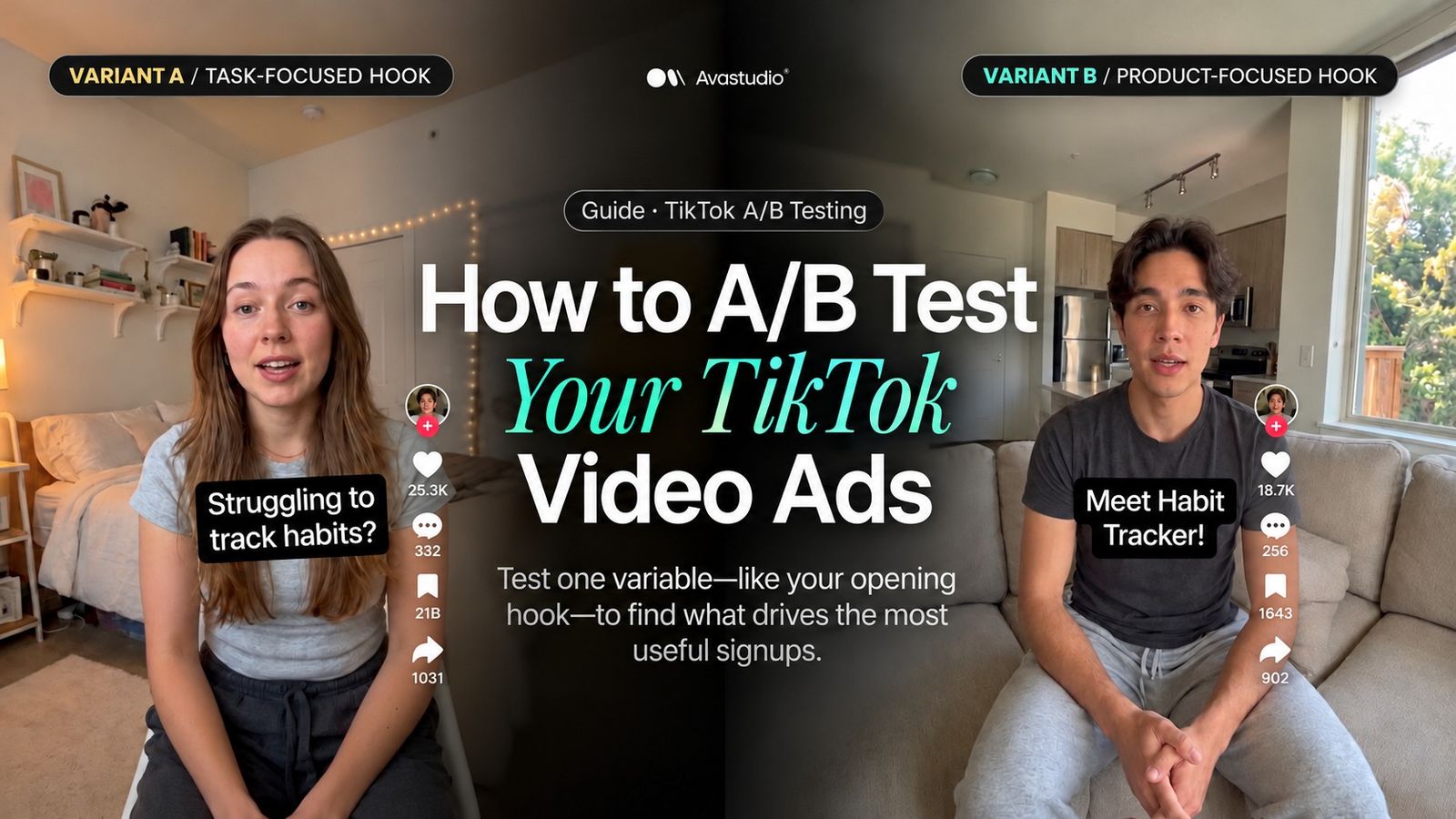
To A/B test a TikTok video ad for your app, make two versions that differ in one planned element, such as the opening line. Use the same product demo and next step, run a controlled paid test, and judge the result against a business outcome you chose before spending.
This guide tests one practical question: does an opening that names a customer task attract more useful signups than a broad product introduction? It is a proposed experiment, not a claim that one format always wins. The examples below are fictional, and no campaign results are implied.
The cover is an illustration, not a test result. Its engagement figures are illustrative. For the controlled test below, keep the same presenter and setting in both versions.
Define the goal before choosing the opening
For a web app, a useful goal might be acquiring people who sign up and complete their first meaningful task. For a scheduling product, that could mean connecting an account and scheduling a first post. Choose an action your product can actually measure, then define exactly what counts and how long a new user has to complete it.
Use the same event definition and attribution window for both versions. Verify the event with a test journey before launch. A lower cost per signup is not automatically an improvement if those people never use the product.
Write a hypothesis you can reject
Example hypothesis: “For small teams managing social posts, an opening about scheduling next week's posts will produce a lower cost per activated signup than a general introduction to our app, without reducing the share of signups that activate.”
Decide in advance what improvement would justify changing your ad, what decline in activation rate you would accept, your spending cap, and the planned test window. Base those thresholds on your own economics and previous results. There is no universal percentage that makes an ad a winner.
Build two openings around the same product demo
Imagine an app that really supports scheduling social posts. These are illustrative scripts to adapt, not customer quotes:
- Version A, general introduction: “Meet our app for managing your social posts.”
- Version B, specific task: “Schedule next week's social posts in one place.”
Follow each opening with the same real recording of that workflow and the same invitation to try it. Do not invent an interface, a time-saving figure, or a capability the app does not have.
Keep the speaker, opening duration, framing, demo, music, captions after the opening, offer, landing page, and final call to action consistent. If you change both the spoken opening and its matching on-screen text, record them as one opening treatment. The result will not tell you which of those two components mattered.
TikTok lists creative assets, including opening hooks, among its split-test variables. For this experiment, choose the creative variable supported by your campaign setup. Do not also change targeting, the offer, and the caption hashtags.
Use a paid split test for a controlled comparison
TikTok's Split Testing documentation describes dividing the audience into separate groups so each group sees only one ad group. That is different from simply uploading two ads and comparing the totals after delivery has favored one of them.
Run the versions over the same period with comparable settings, using TikTok's split-test workflow where available. Confirm that the selected objective, event, and creative setup support the question you want to answer. If you optimize for clicks, the platform's reported winner does not establish a winner for activated signups.
TikTok's January 2026 best-practice guidance recommends at least seven days, sufficient budget, and estimated testing power of at least 80%. Those are setup recommendations, not a guarantee of a conclusive result. Avoid changing settings mid-test, and allow the chosen conversion window to mature before reviewing downstream actions.
If your budget cannot support enough meaningful events, treat the work as exploratory. Record the limitation instead of declaring a winner from a handful of conversions.
Separate attention from customer value
Keep a record for each version with the dates, audience, spend, impressions, landing-page visits, signups, activated signups, and the attribution window. Deduplicate users and apply the same counting rules to both versions.
- Primary outcome: spend divided by activated signups, if that is the goal you chose. With zero activated signups, report zero conversions and the spend; there is no finite cost per activated signup to report.
- Quality check: the share of signups that activate within your defined window. With no signups, this rate is undefined.
- Diagnostic signals: viewing and click metrics can help locate where people drop off. They do not replace the primary outcome.
At the planned review point, choose among three outcomes: evidence supports using B, evidence supports retaining A, or the result is inconclusive. Check both uncertainty and the size of the practical difference. A small numerical lead alone is not evidence that the opening caused a better result. Do not stop early just because one version briefly looks ahead.
Keep organic posts and hashtag tests separate
Two organic posts can reach different people at different times. They can help you gather questions and refine the message, but their view totals are not a randomized A/B test. Report them as observations.
Likewise, comparing a small product category with a broad hashtag across different collection windows does not isolate a hashtag's effect. Keep hashtags unchanged during an opening test. If you later test caption wording or hashtags, give that question its own design and limitations.
For inspiration, use these three original app-video examples. Borrow an observation to test, not a promise that another creator's reach will transfer to your product.
Prepare the two versions in Ava Studio
Ava Studio describes creating video ads with variations in hooks, visuals, and selling points. For this test, use it to prepare two openings around your approved product assets. Inspect the exported videos to confirm what stayed the same; independently generated versions can introduce unintended differences.
Use this brief: “Create two openings for our app video: a general introduction and a specific customer task. Use only our verified product facts. Reuse the supplied demo and ending. Keep the same speaker, timing, music, and layout. Identify any changes you cannot keep controlled. Return the scripts for review before production.”
Production is one step. Run and evaluate the experiment in your ad platform and analytics, then save the result with the actual videos. The next brief should reflect what you learned, including an inconclusive result.
Platform references checked October 28, 2026. This is an editorial testing guide, not a trend ranking or a report of Ava Studio customer performance.
- TikTok ads
- creative testing
- app marketing
Frequently Asked Questions
Can I A/B test two organic TikTok posts?
You can compare observations, but two organic posts do not create a randomized A/B test. Their audiences, timing, and distribution can differ. Use a controlled paid split test when you need evidence about the effect of one creative change.
How long should I run a TikTok ad split test?
TikTok's January 2026 guidance recommends at least seven days and sufficient budget and testing power. Duration alone does not guarantee a reliable answer. Plan the test in advance and allow the selected conversion window to mature before evaluating downstream actions.
Which metric should decide the winning video ad?
Choose the outcome that matches the campaign goal before launch. For a web app, that might be cost per signup that completes a defined first task. Review activation rate and uncertainty as well; views and clicks alone do not establish customer value.
Can I change the opening and hashtags in the same test?
Not if you want to isolate the opening's effect. Keep hashtags and the rest of the ad consistent, and test the opening as the planned variable. If you change several elements together, interpret the result as a comparison of complete versions.
Create your first AI video
Go from a prompt to a polished, viral-ready video with Ava Studio.
Try Ava Studio

